
Your shop on your own domain
Serve your shop on your own web address, like yourbrand.com.
By default your shop lives on a Retriever link. If you have a domain, your shop can live there instead, so customers see yourbrand.com and your QR codes point there too. It stays hosted by us; the DNS records change, including a TXT that proves the domain is yours.
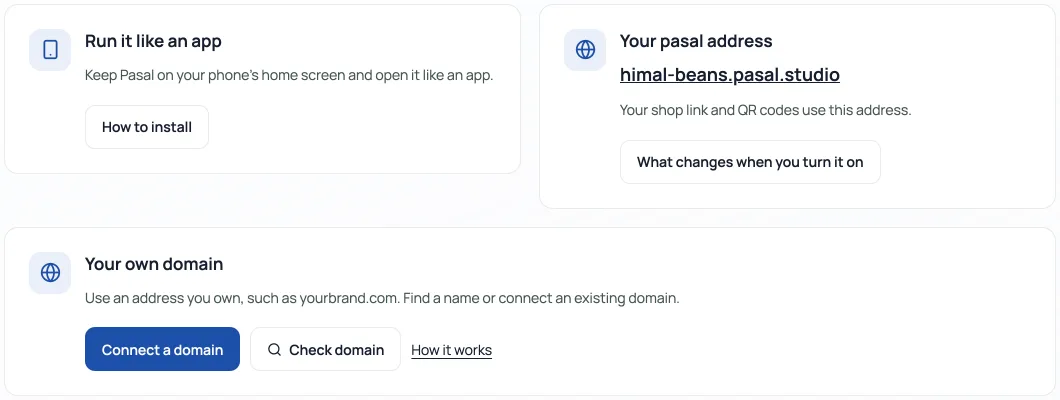
Before you buy anything: your shop can already have yourshop.retriever.com.np for nothing extra, claimed with one button, and for a lot of shops that is short enough to print and say out loud. See Your own retriever.com.np address first, and come back here if you want your own name. No domain yet? Buying a domain in Nepal walks through it, including the free .com.np.
Check a name
Press Check domain to search in a popup. A registered name is already held by someone; if it is yours, choose I own this domain to connect it. “Looks available” means no registration was found, not that the name is reserved or guaranteed for sale. Confirm the name and price with your registrar. Some suffixes, including .com.np, need a check at their registry.
Connect it
- Open Link & QR → Address & app. Under Your own domain, press Connect a domain. In the popup, type the domain and press Get DNS records. Just the name, like yourbrand.com: no https:// and no slash.
- The popup shows the DNS records to add: for a whole domain (yourbrand.com) an A record pointing at 76.76.21.21; for a subdomain (shop.yourbrand.com) a CNAME pointing at cname.vercel-dns.com; and a TXT named _pasal whose value proves the domain is yours. Add them where your domain's DNS lives. The next section shows how.
- Press Check DNS & connect in the popup. You can close it and use Continue setup to return. Until that TXT is visible the shop is not on the domain; the unique name is not taken. Wait a few minutes after the records are in. The secure certificate (the padlock) is issued automatically once the A or CNAME is seen; nothing to buy and nothing to renew. Your Retriever address keeps working alongside.
Once connected, the card stays compact. Use DNS settings or Company email to open their own popups. Disconnect asks for confirmation; it does not cancel the domain registration or change your email provider.
Change the DNS, step by step
DNS is the address book that tells browsers where your domain points. It is managed wherever you registered the domain, unless you moved it. The registrar's dashboard has a section called DNS, DNS management, Name servers or Zone editor.
- Sign in at your registrar (where you bought the domain) and open that DNS section for your domain.
- Press Add record. Pick the Type the card showed. In Name / Host put what the card's Name column says: @ means the bare domain itself; for a subdomain it is just the first word, like shop. In Value / Target / Points to paste the value exactly. TTL can stay on its default.
- If an old record of the same type and name already exists (parking pages often leave one), edit it to the new value rather than adding a second. Two answers to one name is the commonest reason a domain half works.
- On Cloudflare, one extra thing: the little cloud beside the record must be grey (DNS only), not orange, or the certificate cannot be issued.
- Save. Most changes are live in minutes; a few registrars take up to an hour. Open your domain in a private browser window. When your shop appears with the padlock, it is done.
If it has been more than an hour, the usual suspects are a leftover old record, the orange cloud on Cloudflare, or a typo in the value. Fix and wait again, or message us on WhatsApp with a screenshot of your DNS page and a person will spot it.
- Buying a domain in NepalHow to get yourbrand.com or the free .com.np: where to check names, what documents you need, and what it costs.
- Your own retriever.com.np addressTurn retriever.com.np/your-shop into yourshop.retriever.com.np with one button, and every link and QR follows.
- Add your own 360° photos or a 3D product modelLet shoppers rotate a set of product photos or explore a GLB model, alongside the usual gallery.