
Backups and the year's freeze
Download shop records to keep or share with your accountant. See what's included, previous copies and year-end records.
A backup is a signed copy of this shop's books in one ZIP file: every bill, credit and debit note, return, Khata line and repair, the products, the customers the bills name, and the logs of who printed, cancelled, sent and downloaded what, with selected customer and serial-unit records where present. It is what you hand an accountant, or an inspector who asks for the records. It is a selected-record export, not a full system recovery image.
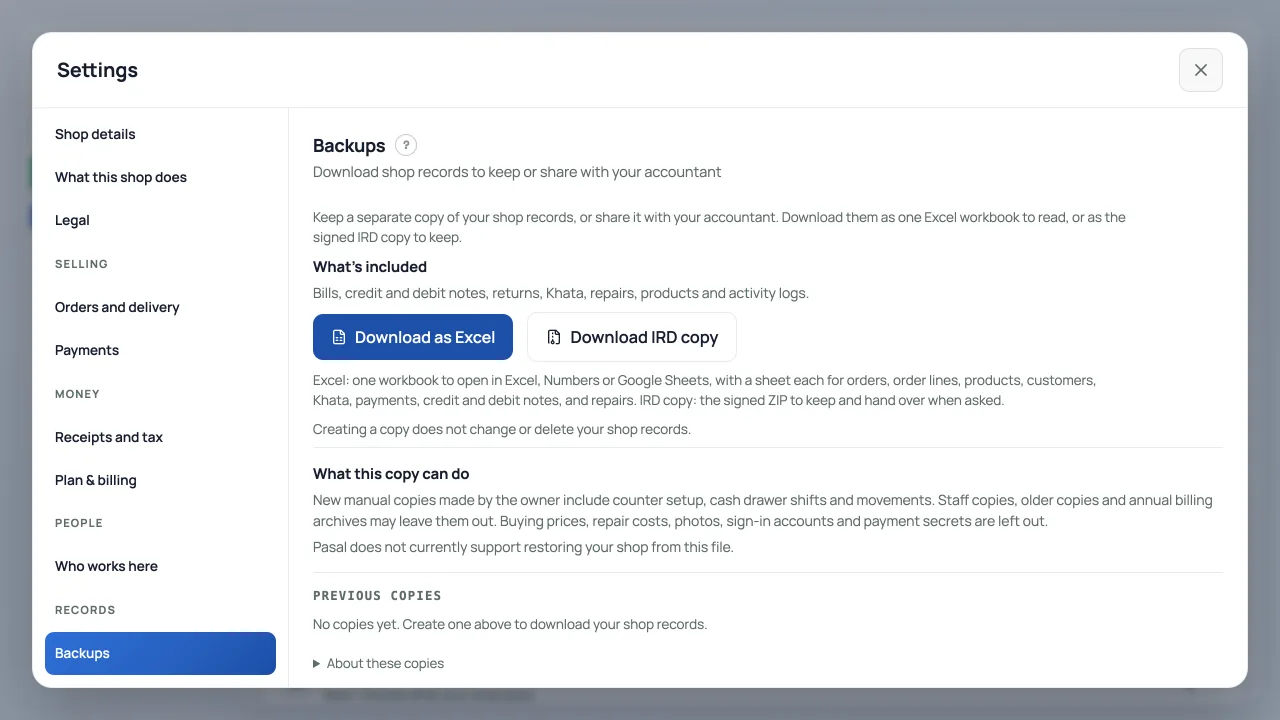
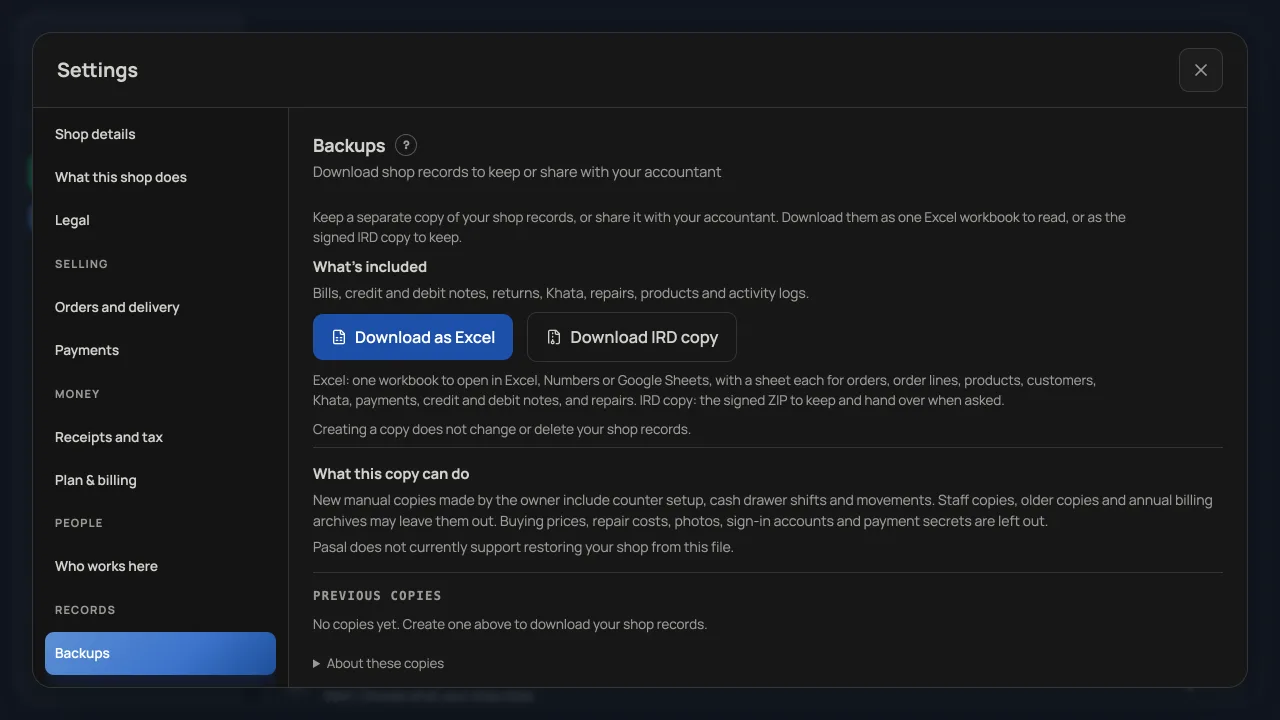
- Open the account menu, then Settings → Backups, under Records. You see it if you are the owner, or if the owner gave you the Backups tick. Somebody with that tick and not Settings opens Settings on this pane alone.
- Press Download as Excel for one workbook to open in Excel, Numbers or Google Sheets: a sheet each for orders, order lines, products, customers, Khata, payments, credit and debit notes, and repair jobs, money to the paisa, dates in AD and BS. Press Download IRD copy for the signed ZIP to keep and hand over when asked; its .ndjson files are the authoritative copy. Either one is made while you wait and appears in the list, and counts toward the ten copies a day; Download as Excel uses a copy from the last ten minutes instead of making another. Creating a copy does not change or delete the shop's records. Large shops can reach a processing limit. The link works for ten minutes; press Excel or IRD copy beside a backup in the list for that copy again, any time.
- Keep it at least six years after its fiscal year ends under Retriever's archive retention policy. Ask your accountant about your own legal duties. Retriever currently has no automatic archive or download-log deletion schedule.
What is left out, on purpose
What you paid for your stock, and what a repair cost you, are not in it. They are yours and not figures on a tax bill, and a backup can be downloaded by somebody you gave the Backups tick. The file's own manifest names every field it leaves out, so nobody reading it takes a missing buying price for a lost one.
New manual copies made by the owner include counter setup, cash drawer shifts and cash movements for this shop. Only the current shop owner can download a copy containing those private files. Staff copies, older copies and automatic annual billing archives do not include these drawer files. The list labels each completed copy by what its manifest contains. Owner drawer files contain the whole available history through the collection window, not a fiscal-year slice. They are collected sequentially and do not establish a single atomic balance across tables. This ZIP also excludes photographs, sign-in accounts, payment secrets and other complete-system data. Records are collected sequentially, so it is not a single database snapshot. Retriever has no archive import or full restore button, and no promised recovery time. Keep an independent secure copy: the ZIP contains personal records, and anyone holding its signed download link can open it during the ten-minute window.
Every closed year, kept on Shrawan 1
On the evening of Shrawan 1, when a fiscal year has closed, Retriever makes one more backup of every shop that has issued a bill or taken a paid sale and did anything in that year: the year's bills, notes, returns, Khata, repairs, prints and postings, with the products as they stood. It waits until 10 pm so a counter that sold offline on the last night of Ashad has the day to send its sales in. It shows in your list as Year-end records: 2082/83, made by Retriever, and it is never made again or replaced. A bill of that year cancelled or refunded after the year closed is in it as it stood when the copy was made, and what changed it is in the files whose names end .after-close.ndjson. A shop that has never billed or been paid has no tax records to keep, so it gets no yearly copy: a test bill to IRD does not count.
Checking a copy
Open Details under a copy to see who created it, the billing version and download history. A completed copy also shows its full Fingerprint, the file's SHA-256. Anyone can check a downloaded file against it (on a Mac or Linux, shasum -a 256 and the file name). Inside the ZIP, manifest.json lists every file with its row count and its own SHA-256, and manifest.sig is Retriever's signature over the manifest. Retriever's server key is needed to authenticate that signature; the public file hashes let you check integrity. A signature does not encrypt the ZIP. A very large table continues in numbered files (orders.2.ndjson and on); read them in order. workbook.xlsx in the ZIP is the same records to read, listed and signed like the rest; the .ndjson files are the authoritative copy. A copy of more orders than a backup builds its workbook for (seven thousand, fewer when the shop has many products) has none, and says so; Download as Excel still makes the workbook from its files, on your device.
If it does not finish
A large shop can reach the file-size, row or processing limits of one archive attempt. The amount that fits depends on the related records as well as the sale count; there is no guaranteed number of sales. If an attempt does not finish, the original records remain. Repeating it may reach the same limit. Contact support from Help to assess a larger export. A fiscal-year archive covers one year and is also subject to these limits; an unsuccessful attempt can be shown in the list.
मालिकले बनाएका नयाँ प्रतिमा यो पसलको गल्ला सेटअप, नगद सिफ्ट र आवतजावतको उपलब्ध इतिहास हुन्छ। यी निजी फाइल भएको प्रति हालको मालिकले मात्र डाउनलोड गर्न सक्छन्। स्टाफका प्रति, पुराना प्रति र आफैँ बनिने वार्षिक बिल अभिलेखमा गल्लाका यी फाइल हुँदैनन्। सूचीमा प्रतिमा के छ भनेर देखिन्छ। डाटा पालैपालो पढिन्छ; सबै टेबलको नगद एउटै क्षणको हो भन्ने ग्यारेन्टी छैन। ZIP पूर्ण डाटाबेस वा फोटो पुनर्स्थापना होइन। यसलाई आयात गरेर सबै डाटा फर्काउने बटन छैन र रिकभरी समयको ग्यारेन्टी छैन। फाइलमा व्यक्तिगत विवरण हुन्छ; डाउनलोड लिङ्क पाउनेले दस मिनेटसम्म खोल्न सक्छ। छ वर्षपछि आफैँ मेटिँदैन। आफ्नो सुरक्षित प्रति राख्नुहोस्।
About Retriever billing
The row under Backups shows the version of the part of Retriever that numbers, prints, cancels, corrects, sends and keeps your tax bills, so you can identify the version that made a record. Retriever's IRD software approval is pending; Off and Test are available, and Live submission remains disabled. Open it to see what that version does for your shop, each part marked On, or Not yet while Retriever has still to switch it on for you. Every backup records the version that made it.
नेपालीमा
ब्याकअप भनेको पसलको हिसाबको हस्ताक्षर गरिएको प्रति हो, एउटै ZIP फाइलमा: हरेक बिल, क्रेडिट र डेबिट नोट, फिर्ता, खाता, मर्मत, सामान, बिलमा नाम भएका ग्राहक, र कसले के छाप्यो, रद्द गर्यो, पठायो र डाउनलोड गर्यो भन्ने लग। सेटिङमा ब्याकअप खोल्नुहोस्। "Excel मा डाउनलोड गर्नुहोस्" थिच्दा Excel, Numbers वा Google Sheets मा खोल्न मिल्ने एउटा वर्कबुक आउँछ: अर्डर, अर्डरका सामान, सामान, ग्राहक, खाता, भुक्तानी, क्रेडिट र डेबिट नोट, र मर्मतको छुट्टाछुट्टै पाना, रकम पैसासम्म, मिति ईस्वी र विक्रम संवत् दुवैमा। "IRD प्रति डाउनलोड गर्नुहोस्" थिच्दा राख्न र मागेमा दिन हस्ताक्षर गरिएको ZIP आउँछ; त्यसका .ndjson फाइल आधिकारिक प्रति हुन्। डाउनलोड आफैँ सुरु हुन्छ। हरेक प्रति दिनको दस प्रतिमा गनिन्छ; Excel मा डाउनलोड गर्दा पछिल्लो दस मिनेटमा बनेको प्रति भए नयाँ नबनाई त्यही प्रयोग हुन्छ। मालिक, वा मालिकले ब्याकअपको टिक दिएको व्यक्तिले मात्र बनाउन सक्छ। खरिद मूल्य र मर्मतको लागत जानाजान राखिँदैन। हरेक प्रति त्यसको आर्थिक वर्ष सकिएपछि कम्तीमा छ वर्ष राख्नुहोस्। बिल जारी गरेको वा भुक्तानी लिएको पसलको, बन्द भएको हरेक वर्षको प्रति रिट्रिभरले साउन १ को बेलुका बनाएर राख्छ। प्रतिमुनि विवरण खोलेर औंठाछाप (SHA-256) हेर्नुहोस् र त्यससँग डाउनलोड गरेको फाइल जाँच्न सकिन्छ। ठूलो डाटामा फाइल वा प्रशोधनको सीमा आउन सक्छ; बिक्रीको निश्चित संख्या अट्ने ग्यारेन्टी छैन। प्रयास पूरा नभए मूल रेकर्ड रहन्छन्। ठूलो प्रतिको विकल्पका लागि Help बाट सम्पर्क गर्नुहोस्।
- Closing your shopAsk Retriever to close your shop from Settings. What closing does, what is kept for tax, and how the files are deleted later.
- When a tab or a button is missingWhy two people can open the same dashboard and see different tabs, and how to get one back.
- What Zuno does for youAsk a question in your own words and get an answer from these guides and your own books. It never writes a figure itself.